Social LinkedIn
Improve My LinkedIn Headline and About Section
Help me improve my LinkedIn profile. Current job or situation: [CURRENT_ROLE] Key skills and achievements: [ACHIEVEMENTS] What I want from LinkedIn: [GOAL] Please write…

Google's AI for realistic video clips with sound
Veo is Google's AI video generator. You write what should happen in the scene and it creates a short clip, with natural movement and believable physics. Newer versions can also add sound. Most people use it through the Gemini app or Google's creative tools rather than on its own. It is good at following camera instructions, such as close-ups or tracking shots.

Professional training videos with AI presenters
Companies use it to turn documents and scripts into presenter-led videos in many languages.

Quick, playful AI videos and effects for social media
Make short, fun AI videos and special effects from text or photos, designed for fast social media content.

Create talking-avatar videos and translate them into other languages
Turn a script into a video presented by an AI avatar, or translate your own video with matching lip movements.

Turn a written idea into a short, cinematic video clip
OpenAI's video generator that creates short, realistic clips from a description or an image.
UAE consumers now arrive at showrooms with saved images and AI-generated layouts, as designers say social media shapes the starting point for home spending
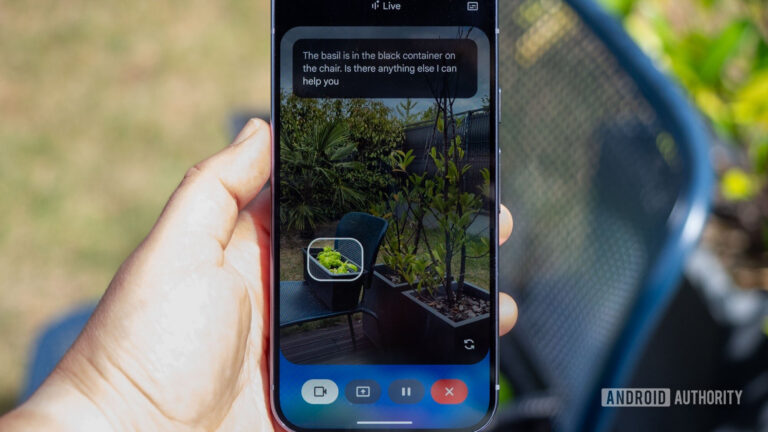
Gemini Live camera sharing lets you ask Google's chatbot about the world around you. However, we've uncovered video effects for this feature.